Select region and language
How-to Tips Vol. 1

With the face detection (people sorting) feature, you can collect photos of your friends from your trips.
Among the many photos you took on trips with friends or family are the landscapes you encountered along the way, the things you experienced, the moments of laughter, and the delicious foods you enjoyed—memories full of joy in every shot.
If you create the [registered people] Sorting rules in advance on image.canon, photos that include your friends will be extracted automatically from the many files uploaded from your Canon camera.
How to use
Register in just a few easy steps
First, register your friends’ faces.

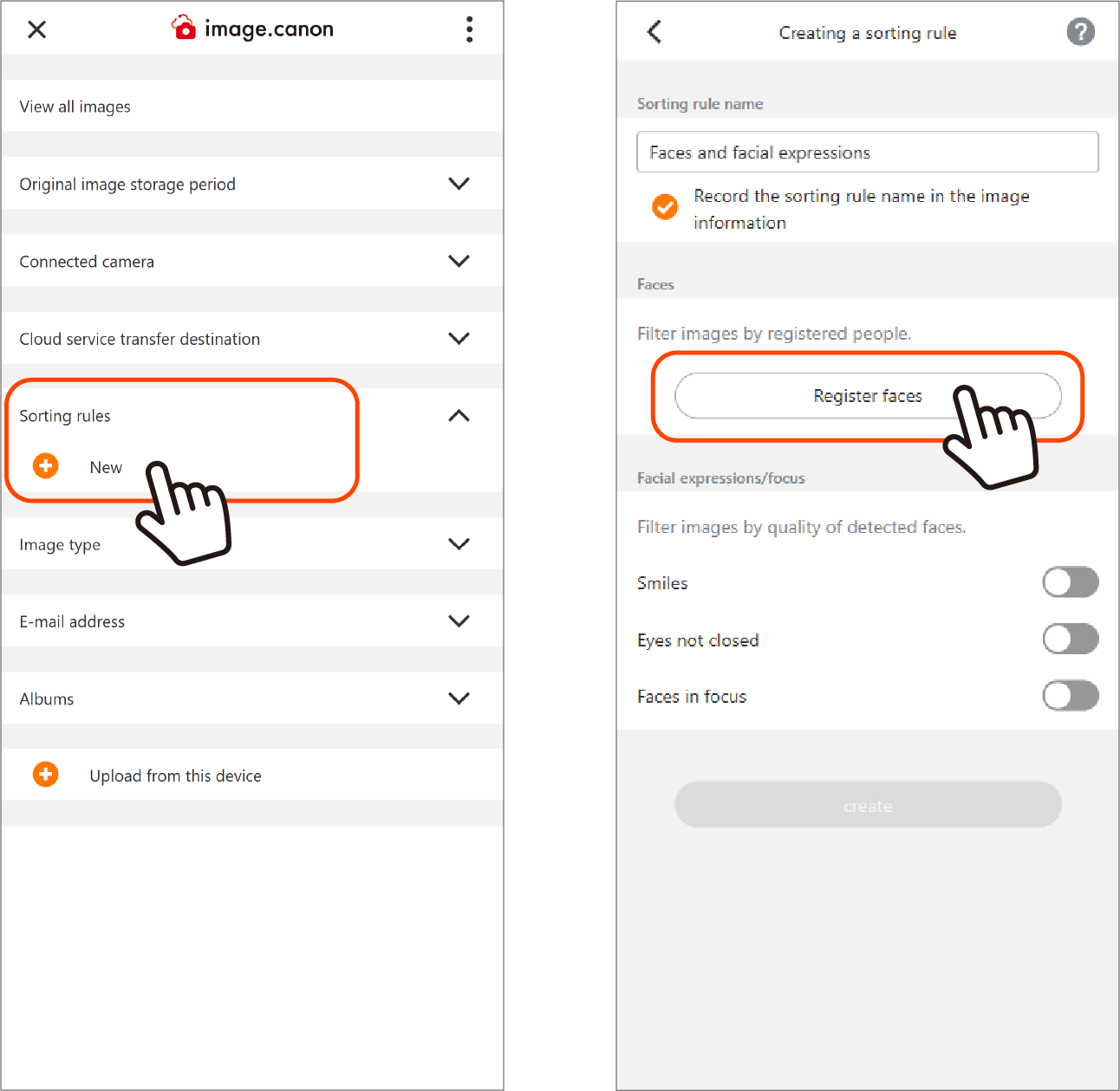
1. On the main menu, press the New button for [Sorting rules] to open the rule‑creation screen.
2. On the rule‑creation screen, press [Faces and facial expressions] and specify the rule.
Tip: Give your Sorting rules clear names to make them easier to find later.
3. Press [Register faces] to go to the next screen.
4. Select your friends’ face photos saved on your smartphone or PC, name them, and tap [OK] to finish.
Next, upload photos from your camera to image.canon.
View uploaded photos with Sorting rules applied

You can check this from the main menu
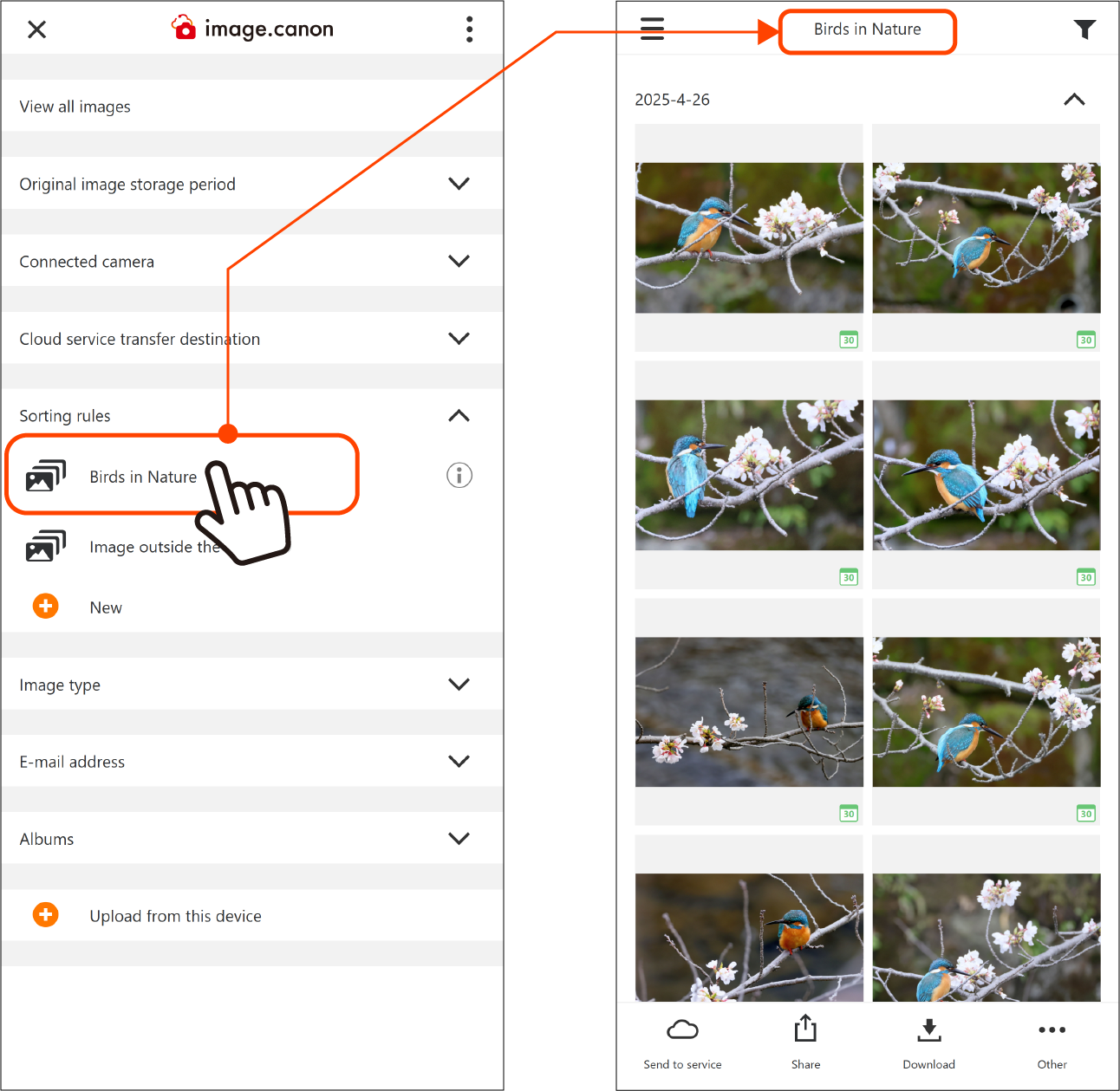
Click the name of a Sorting rule on the main menu to display the sorted photos.
Click [Image outside the rules] to show the other photos.
Click [View all images] at the top of the main menu to display all photos stored in image.canon.