Select region and language
How‑to TIPS Vol. 2
Auto‑sorting by face focus and closed eyes. A powerful ally for model shoots.
Never miss the best moment.
In model shoots where photographers and models create together, both the fun of crafting the process and the sense of achievement when you capture the ultimate shot are on another level.
image.canon’s still‑image sorting extracts photos with eyes open and faces in focus from the vast uploads coming from Canon cameras.
How to use
Register in just a few steps
First, set conditions under [Faces and facial expressions].

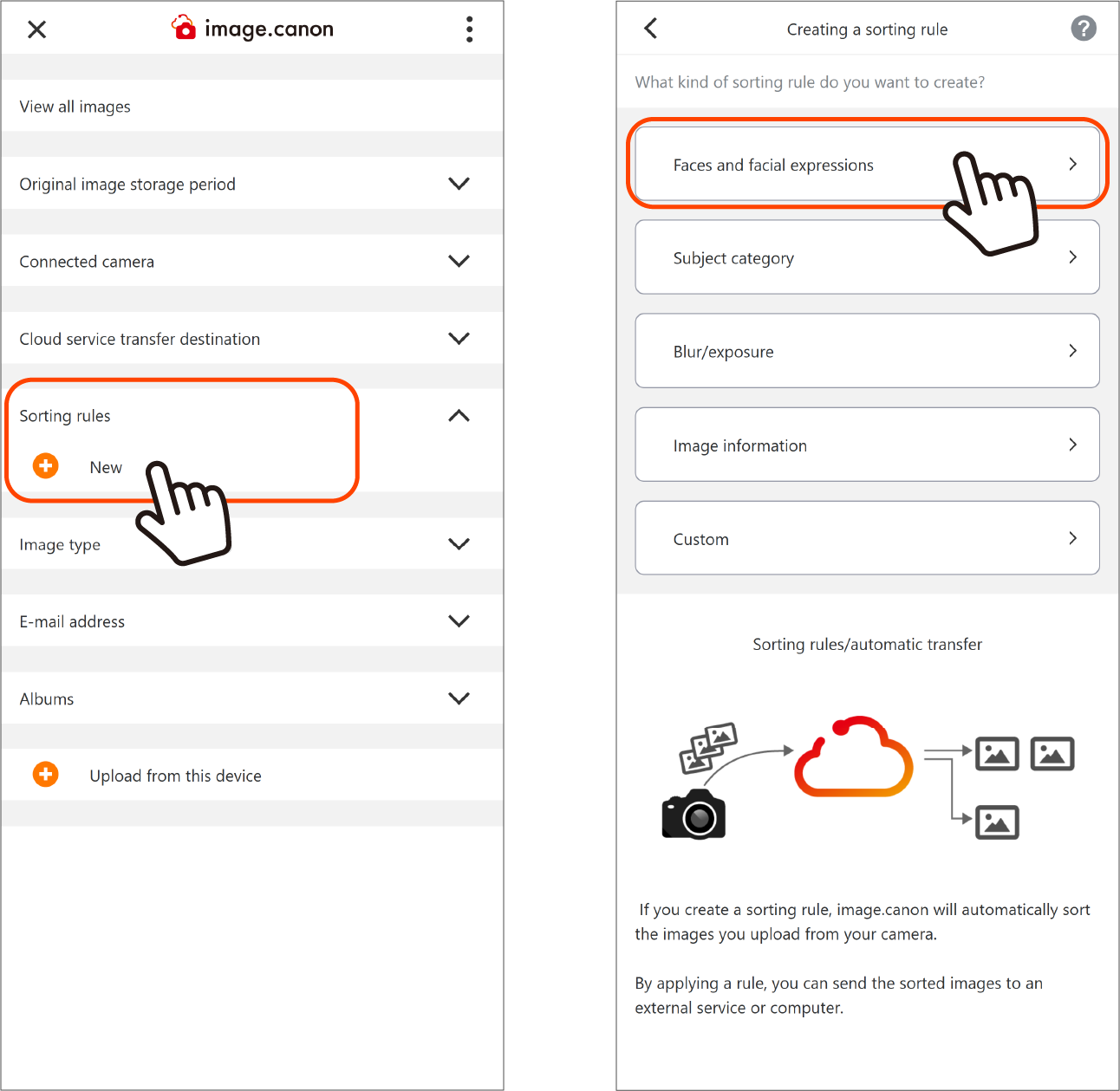
1. On the main menu, click the New button for [Sorting rules] to open the rule creation screen.
2. On the Sorting rules creation screen, press the [Faces and facial expressions] button and specify the rule.
Tip: Giving your sorting rule a clear name makes it easier to find later.
3. From the selection list, choose [Eyes not closed] and [Faces in focus].
4. Click [Create] to save the rule.
Next, upload your data from the camera to image.canon.
View uploaded photos with sorting rules applied

You can check from the main menu.
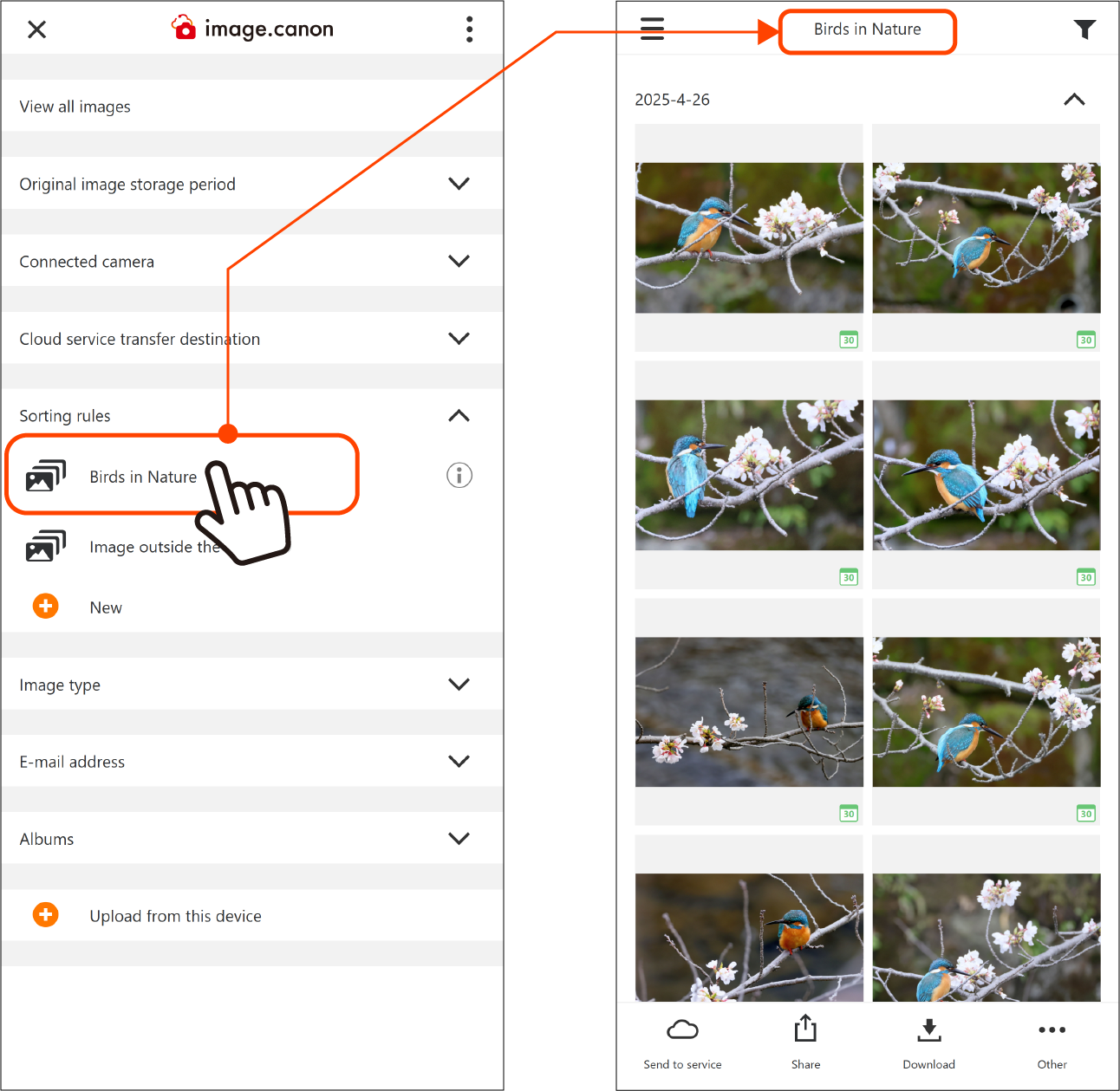
Click a sorting rule name on the main menu to display the photos it sorted.
Click [Image outside the rules] to display the other photos.
Click [View all images] at the top of the main menu to display every photo stored in image.canon.